





Comment installer des lumières de karaoké à la maison, dans un bar ou pour une fête
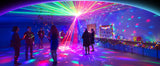
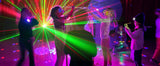
Le meilleur éclairage karaoké remplit trois fonctions : il offre un arrière-plan flatteur au chanteur, assure une bonne lisibilité des paroles et rend la pièce plus excitante lorsque la musique commence.
Cela ne nécessite pas de remplir chaque mur d'effets rapides. Dans de nombreuses pièces, une seule lumière multi-effets correctement positionnée crée un meilleur résultat que plusieurs projecteurs se disputant l'attention.
Ce guide vous explique comment choisir, positionner et contrôler les lumières de karaoké pour un salon, une salle de karaoké dédiée, un événement mobile ou un petit bar, et comment décider quel type de projecteur vaut la peine d'être acheté.
La réponse rapide
- Gardez une lumière ambiante douce allumée pour que les visages et les allées restent visibles.
- Placez une lumière à effets sonores au-dessus de la hauteur des têtes assises.
- Dirigez-la vers un mur, un plafond ou un fond – pas vers l'écran des paroles ou le public.
- Commencez par un effet lent, puis utilisez la synchronisation musicale pour les chansons entraînantes.
- N'ajoutez un support ou un deuxième projecteur que si la pièce ou l'événement en a réellement besoin.
Si vous souhaitez le point de départ le plus simple, choisissez une lumière multi-effets avec activation sonore et télécommande. Si vous organisez des événements récurrents, le contrôle DMX ou une installation sur pied peut valoir la flexibilité supplémentaire.
Planifiez la pièce avant de choisir une lumière
1. Zone du chanteur
Le chanteur a besoin d'une lumière frontale ou latérale suffisamment stable pour que son visage reste visible. Un arrière-plan coloré peut être impressionnant, mais une forte lumière provenant uniquement de l'arrière peut transformer l'artiste en silhouette, surtout sur une vidéo de téléphone.
2. Zone des paroles
Éloignez les motifs en mouvement et les reflets brillants de l'écran de télévision, du moniteur ou du projecteur. Si les paroles perdent en contraste, redirigez l'effet vers un mur latéral ou le plafond.
3. Zone du public
Les invités doivent voir l'effet sans regarder directement sa source. Asseyez-vous à plusieurs positions du public pendant les tests et vérifiez la présence de faisceaux, d'éblouissements et de reflets inconfortables.
4. Zone de mouvement
Les portes, les escaliers, les pieds de support et les chemins de câbles nécessitent suffisamment de lumière ambiante pour rester visibles. Ne créez pas une allée sombre simplement pour que les effets apparaissent plus lumineux.
Quel éclairage karaoké convient à votre installation ?
Choisissez le L2800 pour une installation domestique facile
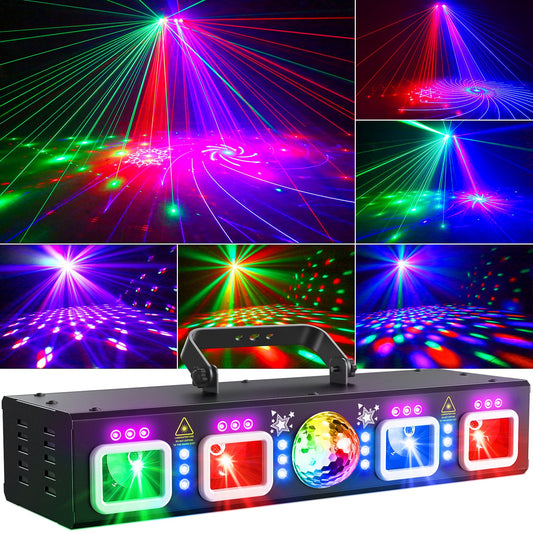
La KeoBin L2800 5-en-1 DJ Party Light combine des effets de motifs, des couleurs RVB et UV, des fonctions stroboscopiques, l'activation sonore, la télécommande et le DMX512.
C'est un point de départ pratique lorsque vous souhaitez plusieurs effets visuels à partir d'un seul projecteur et que vous ne voulez pas construire un ensemble de plusieurs lumières.
Idéal pour : les salons, les salles de jeux, les soirées karaoké à la maison, les fêtes d'anniversaire et les acheteurs qui souhaitent un contrôle sonore ou à distance maintenant avec DMX disponible plus tard.
Choisissez le L2500 pour un effet tout-en-un plus superposé
La KeoBin L2500 6-en-1 Disco Ball Light combine des effets de motifs, de boule disco, RVBW, UV et stroboscopiques. Ses méthodes de contrôle disponibles incluent l'activation sonore, la télécommande et le DMX512.
Considérez-la lorsque vous souhaitez une plus grande variété d'effets à partir d'une seule unité pour le karaoké, les fêtes et l'utilisation sur piste de danse.
Idéal pour : les salles de karaoké dédiées, les grandes fêtes à la maison, les utilisateurs qui souhaitent des UV et plusieurs effets dans un seul projecteur, et les DJ qui pourront plus tard incorporer le contrôle DMX.
Choisissez le pack avec support si le placement est un problème
Une lumière puissante placée au sol est souvent bloquée par les meubles et les personnes. Si le lieu ne dispose pas d'une étagère haute sûre ou d'un point de fixation, le KeoBin L2500 Disco Lights with Tripod Stand fournit un support réglable avec le projecteur multi-effets.
C'est un choix utile pour le karaoké mobile, les salles de location, les lieux temporaires, les DJ et les organisateurs d'événements qui changent d'emplacement. Placez le support en dehors des principaux chemins de circulation, ouvrez complètement ses pieds et fixez le câble d'alimentation avant l'arrivée des invités. Vous pouvez également comparer la collection complète de lumières de DJ avec support.
Choisissez le L2400-002 pour les noms et graphiques personnalisés
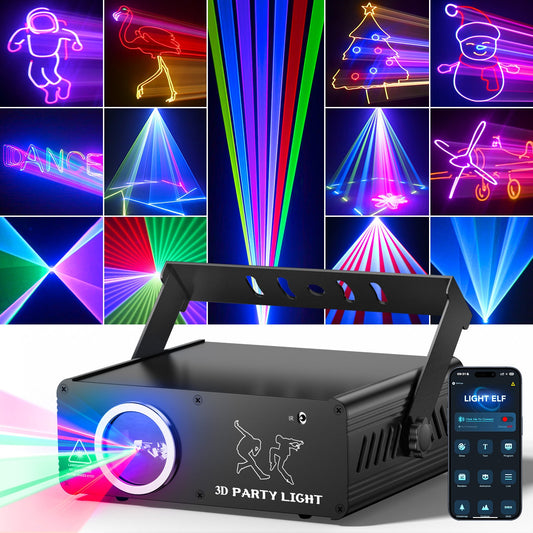
Le KeoBin L2400-002 App-Controlled 3D Animation Party Light prend en charge les noms, messages, logos et images personnalisés via son application compatible. Il offre également des animations intégrées, l'activation sonore, la télécommande et le DMX512.
Il convient aux noms d'anniversaire, aux messages personnels, aux soirées karaoké de marque, aux événements thématiques récurrents et aux hôtes qui accordent plus d'importance aux visuels personnalisés qu'à un effet d'éclairage d'ambiance tout-en-un. Gardez le texte projeté court et testez-le à la distance de visionnement réelle du public.
Trois configurations de karaoké que vous pouvez copier
Disposition A : Petit salon
- Élevez un projecteur multi-effets au-dessus de la hauteur des têtes assises sur une surface stable ou un support approprié.
- Dirigez-le en diagonale vers un mur ou un plafond clair.
- Gardez une lampe de pièce tamisée devant ou à côté du chanteur.
- Placez l'écran des paroles en dehors de la zone de projection principale.
- Testez l'installation avec la télévision et les haut-parleurs en marche.
Le placement en diagonale offre une plus grande surface visuelle tout en éloignant le projecteur de la ligne de mire directe du chanteur. Commencez par une seule lumière. Si vous n'êtes pas sûr que la pièce en ait besoin de plus, utilisez le guide de quantité et de placement des lumières de fête avant d'acheter un deuxième projecteur.
Disposition B : Salle de karaoké dédiée
- Dirigez l'effet sur le mur derrière ou à côté du chanteur.
- Gardez l'écran sur un mur visuellement plus calme.
- Utilisez des programmes de couleur ou de motifs lents pendant la sélection des chansons.
- Passez à l'activation sonore pour les chansons énergiques.
- Utilisez les effets UV ou stroboscopiques de manière sélective plutôt que tout au long de la session.
Cela donne à l'artiste un arrière-plan visuel défini tout en permettant de lire les paroles.
Disposition C : Karaoké mobile ou petit bar
- Positionnez le support en dehors des entrées, des allées et des voies de service.
- Créez une scène d'arrivée calme, une scène de performance et une scène très énergique.
- Utilisez la télécommande pour des changements occasionnels ou le DMX pour des signaux programmés.
- Gardez un programme automatique ou activé par le son simple disponible en cas de besoin.
- Vérifiez à nouveau le support, les câbles et la direction de la projection une fois la pièce remplie.
Cela aide l'opérateur à reproduire une installation éprouvée tout en adaptant l'intensité et le mouvement à chaque partie de l'événement. Pour une comparaison plus détaillée du contrôle, lisez Lumières de fête activées par le son vs DMX vs contrôlées par application. Les opérateurs de lieux peuvent poursuivre avec le Guide de configuration d'éclairage DMX512 pour débutants.
Créez trois scènes d'éclairage utiles
Arrivée des invités
Utilisez un effet de couleur lent avec le stroboscope désactivé. Maintenez suffisamment de lumière générale pour la conversation, la nourriture et la sélection des chansons.
Session principale de karaoké
Utilisez un mouvement modéré ou l'activation sonore. Le chanteur doit rester visible et l'arrière-plan doit être animé sans gêner la lecture des paroles.
Chansons de groupe et pause danse
Augmentez le mouvement et introduisez des effets plus forts pendant une courte période. Le contraste avec les scènes plus calmes rend ce moment plus énergique. Après la chanson, revenez à un aspect plus lent.
Comment régler le mode activé par le son
Si la lumière réagit à peine, rapprochez-la du haut-parleur principal, testez avec le volume réel de l'événement, augmentez la sensibilité si le modèle offre ce contrôle et assurez-vous que le microphone n'est pas obstrué.
Si elle change constamment, éloignez-la du haut-parleur, réduisez la sensibilité, évitez de la placer directement sur une enceinte vibrante, ou passez à un programme automatique plus lent pour les chansons calmes.
Deux lumières n'ont pas besoin d'avoir un comportement identique. Un effet de fond plus lent combiné à un accent plus rapide peut paraître plus intentionnel que deux unités effectuant le même mouvement.
Améliorez l'apparence du karaoké sur les vidéos de téléphone
- Gardez une lumière frontale ou latérale stable sur le chanteur.
- Utilisez un mur coloré ou un fond derrière eux.
- Évitez de diriger les effets en mouvement directement vers le téléphone.
- Réduisez l'utilisation du stroboscope pendant l'enregistrement.
- Enregistrez un test de 15 secondes depuis la position normale de la caméra.
- Vérifiez à la fois le visage du chanteur et l'écran des paroles avant l'arrivée des invités.
Si le visage est sombre, améliorez la lumière stable avant d'ajouter un autre projecteur d'effet.
Erreurs courantes qui gâchent une bonne lumière
Placer le projecteur au sol
Les personnes et les meubles bloquent la projection, laissant la majeure partie de l'effet en dessous du niveau des yeux. Élevez le projecteur en toute sécurité ou utilisez un support approprié.
Le diriger vers la télévision
La lumière en mouvement sur l'écran réduit le contraste des paroles et distrait le chanteur. Utilisez plutôt le mur ou le plafond environnants.
Acheter plusieurs projecteurs avant d'en tester un seul
La première lumière peut déjà fournir la couleur et le mouvement dont la pièce a besoin. Testez le placement avant d'ajouter de l'équipement.
Exécuter tous les effets simultanément
Trop de couleurs, de motifs et de fréquences de flashs concurrents peuvent sembler incontrôlés. Choisissez un objectif visuel et n'ajoutez une deuxième couche que si elle a un rôle clair.
Rendre la pièce complètement sombre
Les invités ont toujours besoin de marcher, de choisir des chansons et de se voir. Conservez suffisamment de lumière ambiante pour le confort et la sécurité.
Contrôles de sécurité avant l'arrivée des invités
Les effets équipés de lasers nécessitent un placement délibéré. La Food and Drug Administration américaine explique que la lumière laser est très concentrée et directionnelle, et que les risques augmentent lorsque les produits laser sont manipulés de manière incorrecte. Consultez son guide des produits laser, suivez l'étiquette et le manuel du projecteur, et conformez-vous aux exigences locales ou du lieu.
Ne dirigez jamais les effets laser directement vers les yeux, les routes, les véhicules, les avions ou les zones extérieures non contrôlées. Soyez particulièrement prudent autour des miroirs et autres surfaces réfléchissantes.
Gardez les cordons hors des passages, n'utilisez pas de câbles endommagés, ne dépassez pas la capacité nominale d'une rallonge, utilisez des cordons adaptés à l'environnement et gardez les connexions au sec. Voir le guide de sécurité des rallonges de la U.S. Consumer Product Safety Commission.
Utilisez les effets stroboscopiques avec précaution et arrêtez si quelqu'un ressent une gêne. Les lumières clignotantes et certains motifs très contrastés peuvent déclencher des symptômes chez les personnes photosensibles ; le guide de photosensibilité de la Fondation pour l'épilepsie fournit des informations supplémentaires.
Pour un contrôle pré-événement plus large, lisez Sécurité de l'éclairage de scène 101.
Liste de contrôle finale avant l'achat
- Avez-vous besoin d'une seule lumière ou d'une installation superposée ?
- Y a-t-il une position haute sûre, ou avez-vous besoin d'un support ?
- Personne n'actionnera-t-il la lumière pendant les chansons ? Choisissez l'activation sonore.
- Voulez-vous des changements manuels rapides ? Choisissez la télécommande.
- Avez-vous besoin de signaux de lieu répétables ? Envisagez le DMX512.
- Voulez-vous des noms, des messages ou des graphiques personnalisés ? Envisagez un modèle compatible avec une application.
- Pouvez-vous éloigner les effets de l'écran des paroles et des yeux du public ?
- Avez-vous vérifié la page produit actuelle, l'option de prise et la disponibilité ?
Construisez votre installation de karaoké
Pour une installation domestique simple, commencez par un projecteur multi-effets tel que le L2800 ou le L2500 et testez son placement avant d'ajouter plus d'équipement.
Choisissez le pack avec support L2500 lorsque la hauteur portable et le placement temporaire rapide sont des priorités. Choisissez le L2400-002 lorsque le texte et les graphiques personnalisés sont la caractéristique qui rendra l'événement spécial.
Si vous avez encore besoin de comparer les types d'effets et les modèles actuels, parcourez toutes les lumières de fête et de scène DJ KeoBin.
Une meilleure salle de karaoké ne commence pas par le plus grand équipement d'éclairage. Elle commence par un seul projecteur faisant le bon travail au bon endroit.