




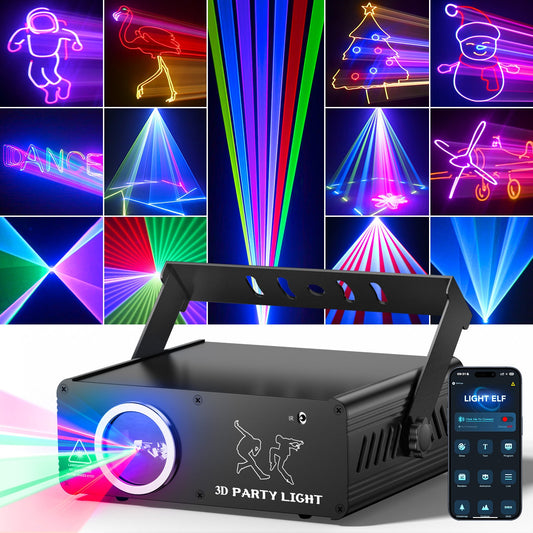

Beginner DMX512 Lighting Setup Guide for Small Events and Home Parties
A few years ago, most people associated DMX lighting with clubs, concert stages, or large event productions.
Now it's showing up almost everywhere.
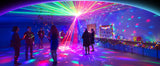
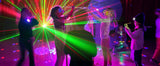
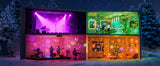
From apartment parties and gaming rooms to birthdays, bars, and small private events, more people are using DMX512 lighting to create immersive atmospheres without building a full professional stage setup.
And honestly, once you see the difference, it makes sense.
The right lighting can completely change how a room feels.
A basic living room suddenly feels cinematic. A small gathering feels like an actual event. Even a compact space can feel energetic and immersive with synchronized lighting effects.
That's exactly why DMX512 has become one of the most useful tools for modern atmosphere lighting.
Running into a fixture that won't power up? Walk through the fixes in our stage lighting troubleshooting guide.
Choose the Right Control Mode Before Setup
DMX512 is ideal when you need precise, repeatable control, but it is not the simplest choice for every event. If you are still deciding between automatic music response, mobile customization, remote control, and a programmed lighting rig, compare the setup time and best-use scenarios in our sound-activated vs DMX vs app-controlled party lights guide before choosing your equipment.
Sources & authoritative references
KeoBin's editorial team verifies technical claims against the following independent standards bodies and references:
- ESTA — ANSI E1.11 (DMX512) & E1.20 (RDM)
- Wikipedia — DMX512
- Illuminating Engineering Society — lighting fundamentals
- UL — safety certification
- Wikipedia — American National Standards Institute (ANSI)
- CIE — color science
- Wikipedia — IP Code (fixture weather rating)
- OSHA — electrical safety
Planning a wedding or a formal event? Our Wedding Stage Lighting: A Designer's Guide to Atmosphere, Layering, and Reliable Gear walks through the full four-layer approach to event lighting, from venue assessment to a dependable fixture build.
DMX-Ready Lights for a First Setup
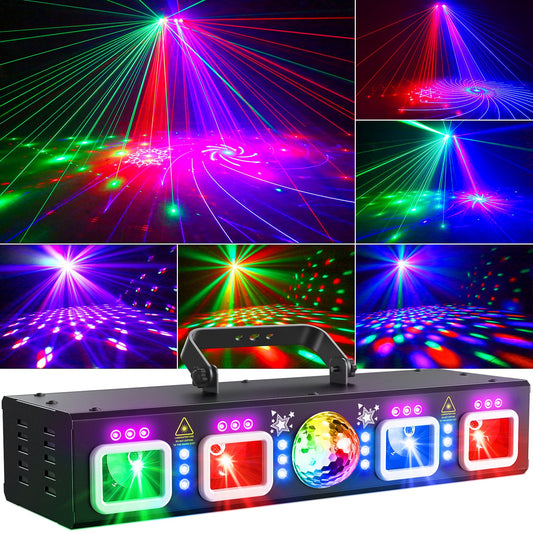
KeoBin L2700B Stage Lighting System — multi-effect fixture with DMX512 and sound activation.
PAR lights add smooth RGBWA+UV color wash, while stage laser lights add sharper beams and patterns.
A Practical Beginner DMX512 Setup
A basic DMX lighting system has four parts: a controller, DMX-compatible fixtures, data cable and power. The controller sends digital instructions down one cable in a daisy chain. Each fixture listens for instructions beginning at its assigned start address.
- Connect the controller to fixture one. Use a proper DMX cable from DMX OUT on the controller to DMX IN on the first light.
- Daisy-chain the fixtures. Connect the first fixture's DMX OUT to the second fixture's DMX IN, then continue in one line. Do not create a Y-split unless you are using an active DMX splitter.
- Select a channel mode. A simple mode may use 6 channels; an advanced mode may use 20 or more. Confirm the mode in each fixture's manual.
- Assign start addresses. If the first fixture uses eight channels and begins at address 1, the next independent fixture can begin at address 9.
- Test one parameter at a time. Confirm dimmer, color, movement and strobe separately before building a full scene.
How DMX Addressing Works
A DMX universe contains 512 control channels. A fixture does not usually use all 512; it occupies a block determined by its channel mode. For example, a 10-channel light addressed at 1 uses channels 1–10. The next independent 10-channel fixture can start at 11. If two identical fixtures share the same address and mode, they respond together.
| Fixture | Channel mode | Start address | Channels used |
|---|---|---|---|
| PAR wash 1 | 8-channel | 001 | 1–8 |
| PAR wash 2 | 8-channel | 009 | 9–16 |
| Multi-effect light | 12-channel | 017 | 17–28 |
DMX Cable, Termination and Signal Reliability
DMX512 is a data signal, so use cable designed for DMX rather than treating any microphone cable as interchangeable. For longer runs or electrically noisy venues, place a 120-ohm DMX terminator in the final fixture's output. Keep data cables away from mains power where practical and use an optically isolated splitter when one controller must feed separate branches.
The technical basis for DMX512 is maintained through the ESTA Technical Standards Program. For temporary event wiring and electrical safety, review OSHA electrical guidance and follow local rules.
Beginner DMX Troubleshooting
- No fixture responds: check controller blackout, cable direction and whether the fixture is actually in DMX mode.
- Only some channels respond: verify that the controller profile matches the fixture's selected channel mode.
- Two fixtures mirror each other: they probably share the same start address. Give them separate addresses if independent control is required.
- Flicker or random movement: replace suspect data cables, shorten the chain for testing and add a terminator at the last fixture.
- Everything works in auto mode but not DMX: confirm the display shows the expected DMX address and that master/slave mode is disabled.
DMX512 FAQ
Do I need DMX for a home party?
No. Sound-active, remote and app modes are faster for casual parties. Use DMX when you want repeatable scenes, synchronized fixtures or precise control.
Can I mix different brands of DMX lights?
Usually yes, provided each fixture follows DMX512 and you map its channels correctly. Different fixtures can share the same daisy chain while using different start addresses.
How many lights can one DMX controller run?
The practical limit depends on channel usage, cable length and equipment, but one standard universe provides 512 control channels. Use proper splitters and additional universes for larger systems.
Background: For a general overview of the protocol before reading the formal ESTA material, see DMX512.