




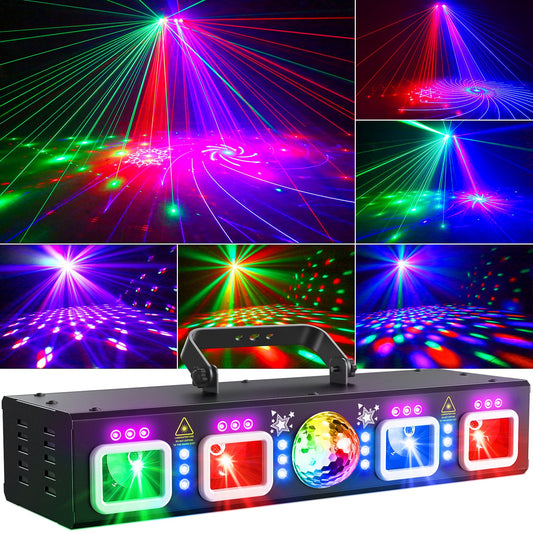

Sound-Activated vs DMX vs App-Controlled Party Lights
Choosing a party light is not only about brightness or the number of effects. The control method determines how quickly you can set up, how precisely you can shape a show, and how much attention the lights need while your event is running. Sound activation may be ideal for a birthday party, while DMX512 is often the better fit for a DJ set or a coordinated stage. App control can add personalized visuals, but it is available only on compatible models.
This guide compares sound-activated vs DMX party lights, app-controlled models, and remote control so you can choose the right system without paying for complexity you will not use.
Quick answer: which party light control is best?
- Choose sound activation when you want fast setup and automatic effects that react to music.
- Choose remote control when you want simple manual changes without learning a lighting protocol.
- Choose app control when a compatible model offers the custom scenes, patterns, or text you want.
- Choose DMX512 when you need repeatable cues, synchronized fixtures, or precise control during a performance.
There is no single best mode for every buyer. The best choice depends on venue size, the number of fixtures, how customized the show needs to be, and who will operate it.
Party light control modes compared
| Control mode | Setup | Creative control | Best for | Main limitation |
|---|---|---|---|---|
| Sound activated | Very fast | Low to moderate | Home parties, casual events | Results depend on music level and placement |
| Remote | Fast | Moderate | Small rooms, simple manual changes | Range and available commands vary |
| App | Fast after pairing | Moderate to high | Personalized parties and custom visuals | Only supported by compatible models |
| DMX512 | More involved | High | DJs, stages, weddings, multi-light rigs | Requires addressing, cabling, and practice |
How sound-activated party lights work
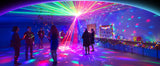
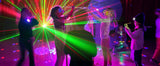
A sound-activated light uses a built-in microphone to detect changes in music. The fixture then advances through its programmed effects in response to beats or changes in volume. Because the effect engine is already inside the light, you can often create an energetic room in minutes: position the fixture, connect power, select sound mode, and adjust sensitivity if the model provides that setting.
This makes sound activation a practical choice for birthdays, house parties, game rooms, and hosts who do not want to operate a controller all night. It also works well as a backup mode when a more advanced control system is unnecessary.
Where sound activation performs best
- Small and medium rooms where music is clearly audible at the fixture
- Events where automatic movement is more important than exact cue timing
- Single-light or simple multi-light setups
- Hosts who need a short setup and minimal learning curve
Placement matters. If the light is far from the speakers, near a loud HVAC system, or set to the wrong sensitivity, it may react inconsistently. Test the final speaker volume before guests arrive. For help sizing the overall setup, see our guide to how many party lights you need for your room or stage.
For a practical example of these control modes in a real room, see our karaoke lighting setup guide for homes, bars and parties.
What remote control adds
A handheld remote sits between fully automatic sound mode and a programmable system. Depending on the fixture, it may let you change automatic programs, colors, speed, sound sensitivity, or blackout state from across the room. It is useful when you want to make occasional changes but do not need scene programming.
Remote features and range vary by product. Some remotes require a clear line of sight, and one remote may not independently control several fixtures. Check the exact product page and manual rather than assuming that every light offers the same commands.
When app-controlled party lights make sense
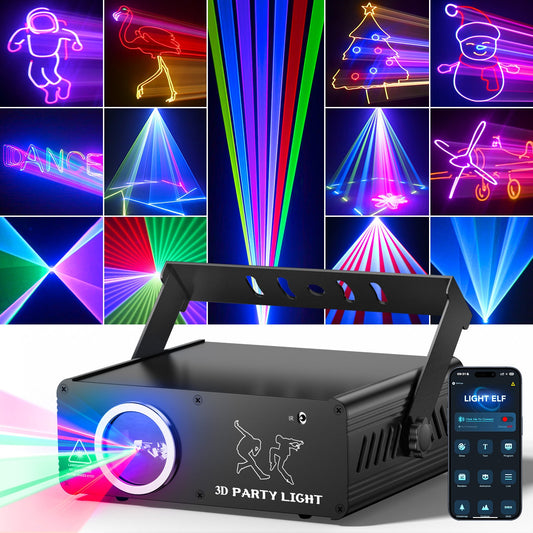
App control is useful when personalization is the reason you are buying the light. A compatible app-controlled party light may provide access to custom patterns, text, saved scenes, or more detailed effect controls than a small remote can display. That can be valuable for birthdays, proposals, branded events, home DJs, and creators who want to change visuals without standing beside the fixture.
However, app control is not a universal feature across the KeoBin range. Confirm compatibility on the individual product page. The KeoBin L2400-002 app-controlled 3D animation party light is the appropriate starting point when custom app visuals are a priority.
Does app control replace DMX?
Usually not. The two methods solve different problems. An app is convenient for one compatible fixture and personalized content. DMX is designed to send repeatable control data from a controller to one or more fixtures. If you need coordinated cues across a larger rig, DMX remains the more structured workflow.
Why DJs and venues choose DMX512
DMX512 gives an operator direct control over compatible fixture functions through assigned channels. Instead of waiting for a built-in program to choose the next effect, you can build scenes, adjust timing, trigger blackouts, and coordinate multiple fixtures from a controller or compatible software.
DMX512-A is standardized by ESTA as ANSI E1.11, covering digital data transmission between controllers and entertainment-lighting equipment. That common framework is why compatible equipment from different manufacturers can be integrated, although each fixture still has its own channel map and operating instructions.
DMX is a strong fit for mobile DJs, wedding professionals, performance spaces, bars, and any setup where lighting changes need to happen on cue. It is also valuable when several fixtures must behave as one system. New users should begin with one fixture, confirm its DMX address and channel mode, and then expand. Our beginner DMX512 setup guide walks through that process.
Choose by event, not by feature count
Home party or birthday
Start with sound activation if your main goal is a lively room with little supervision. Choose a remote-controlled model if you want to pause effects or change programs during the night. Consider a compatible app model when custom names, messages, or visual patterns are part of the event.
Mobile DJ or small venue
DMX is usually worth learning because repeatable scenes and blackouts improve professionalism. Sound activation can still be useful for quick events or as a fallback. A multi-effect fixture such as the KeoBin L2700B 7-in-1 stage lighting system can reduce the number of separate units needed, but always compare its current control modes and specifications with your controller and venue requirements.
Wedding or planned performance
Choose DMX when lighting changes must follow entrances, speeches, songs, or performance cues. Prepare scenes before the event and keep a simple fallback mode available. Do not depend on last-minute programming at the venue.
Casual event with no dedicated operator
Sound activation or remote control is usually the better user experience. A technically powerful system does not improve the event if nobody is available to run it.
Do you need more than one control mode?
Often, yes. Multiple modes give you flexibility without requiring you to use every feature at once. You might program DMX scenes for a performance, switch to sound activation during open dancing, and use a remote for quick blackout control. The important point is to verify the exact modes on the model you are considering; similar-looking lights may support different inputs.
Party light buying checklist
- Confirm the exact control modes. Read the product specifications and manual. Do not assume app, remote, DMX, master-slave, or sound activation is included.
- Count the fixtures. One automatic light is simple; a multi-fixture show benefits more from coordinated control.
- Match the room. Ceiling height, viewing distance, ambient light, haze rules, and reflective surfaces all affect the result.
- Plan power and cables. Keep walkways clear, avoid overloading extension cords, and use outdoor-rated cords only where appropriate. The U.S. Consumer Product Safety Commission advises consumers to avoid overloaded, covered, or damaged cords and to use cords designed for the environment; review its extension-cord safety guidance.
- Check mounting and safety information. Use the supplied bracket or approved mounting hardware, secure overhead equipment correctly, and follow the product manual.
- Choose the operator workflow. Decide who will control the lights and how much rehearsal time is available.
Lighting safety should be part of the decision
Never aim concentrated light effects directly into eyes, roadways, aircraft, or uncontrolled public areas. Keep children from adjusting or handling equipment, maintain required distances, and follow the label and manual for the exact fixture. The U.S. Food and Drug Administration explains laser product classes and general consumer considerations in its laser products and instruments guidance. If a venue has its own safety, rigging, or haze rules, confirm them before setup.
Frequently asked questions
Is DMX difficult for beginners?
The concepts are learnable, but DMX takes more preparation than sound activation. Start with one compatible light and one controller. Learn addressing, choose the correct channel mode, and test each function before adding more fixtures.
Can sound-activated lights work without a DJ?
Yes. They react to audible music rather than requiring a DJ controller. Results depend on speaker placement, volume, microphone sensitivity, and the built-in programs of the fixture.
Can several party lights sync without DMX?
Some models offer master-slave or synchronized automatic behavior, but the capability and connection method vary. Confirm the manual for every model in the proposed setup.
Which control mode is best for a home party?
Sound activation is the easiest default. Remote control adds convenient manual changes, while a compatible app-controlled model is better when personalized visuals matter.
Should I buy the light with the most control modes?
Not automatically. Buy the modes you will actually use, then compare effect type, coverage, mounting, safety information, and support. A simpler light that matches your event can be a better choice than a feature-heavy unit with no operator.
Find the right KeoBin control setup
Begin with your event and workflow, then compare specifications. Explore the current KeoBin party and stage light collection, review the L2400-002 for compatible app-controlled custom visuals, or consider the L2700B for a multi-effect stage setup. If you are still comparing effect styles, our guide to disco laser lights versus disco ball lights can help narrow the visual direction.
Product features can change by model or revision. Always use the current product page and manual as the final source for compatibility, included accessories, operating modes, and safety instructions.
Related reading
Planning a wedding or a formal event? Our Wedding Stage Lighting: A Designer's Guide to Atmosphere, Layering, and Reliable Gear walks through the full four-layer approach to event lighting, from venue assessment to a dependable fixture build.