





Cuando las luces no se encienden: una guía práctica para solucionar problemas de iluminación escénica.
En cada evento, llega un momento en que un dispositivo que funcionaba correctamente en casa deja de funcionar en el lugar. La mayoría de las fallas no son misteriosas. Son el resultado de un cambio en una variable: un circuito diferente, un fallo en la cadena DMX o una configuración de modo incorrecta. Esta guía ofrece una forma sencilla y práctica de encontrar esa variable rápidamente, pensada para quien maneja el controlador cinco minutos antes de la apertura de puertas.
Última actualización: agosto de 2026.
Una mentalidad orientada a la resolución de problemas
El pánico hace saltarse pasos. El método fiable consiste en aislar una variable a la vez, comenzando desde la pared y avanzando hacia afuera:
- Fuerza —¿Está recibiendo electricidad realmente?
- Señal —¿Le está llegando alguna orden de control?
- Modo — ¿Está configurado para escuchar la entrada correcta?
- Físico ¿El problema reside en el cable, la montura o el objetivo?
Siga la lista de arriba a abajo. Nueve de cada diez veces, el problema está en los dos primeros pasos, no en el dispositivo en sí.

Alimentación eléctrica: nada se enciende o salta el disyuntor.
Si una luminaria está completamente oscura y la pantalla está apagada, verifique los aspectos básicos antes de culpar a la unidad:
- Prueba el enchufe. Conecta un cargador de teléfono al mismo enchufe. Si eso no funciona, el problema está en el circuito o en la alimentación eléctrica del local, no en la luz.
- Revisa el interruptor. Un disyuntor disparado es la falla más común. Las luminarias LED son eficientes, pero conectar todo el equipo a un circuito antiguo sigue generando un consumo considerable. Distribuye la carga entre los enchufes y conoce el amperaje.
- Inspeccione el cable IEC. El cable de la tetera, situado en la parte posterior, suele aflojarse durante el transporte. Vuelva a conectarlo firmemente; un cable mal conectado no alimenta nada.
El Sociedad de Ingeniería de Iluminación trata la distribución segura de energía como parte del diseño, no como una idea de último momento: un cable mordido o conectado en serie es una falla en potencia. Donde tender cables a través de una habitación es en sí mismo un riesgo, los accesorios de batería como el 12×16W recargable par Eliminar por completo esa clase de fracaso alimentando el lavado desde sus propias células.
Encendido, pero sin luz.
Una pantalla encendida pero sin salida casi siempre significa un problema de control o de modo:
- Activación por sonido frente a DMX. En el modo activado por sonido, el dispositivo ignora el controlador y reacciona a la música; en el modo DMX, espera una señal. Si esperaba que siguiera la mesa de mezclas y no hace nada, puede que esté en el modo incorrecto. comparación del modo de control Explica cuándo cada opción es correcta.
- Dirección DMX. Cada dispositivo en una cadena DMX512: estándar mantenido por ESTA — requiere una dirección de inicio. Si dos comparten la misma dirección, entran en conflicto; si ninguna coincide con el canal asignado al controlador, nada se mueve. Asigne una dirección única a cada dispositivo.
- Terminación. Las líneas DMX largas pueden presentar fallos si no se utiliza un terminador de 120 ohmios al final. En equipos pequeños, esto es poco frecuente, pero es la solución cuando el último dispositivo de la cadena se comporta de forma errática.
Para una explicación detallada del direccionamiento y el cableado, el Guía de configuración DMX512 es el lugar para empezar.

Parpadeo o efecto estroboscópico inesperado
El parpadeo tiene dos fuentes comunes. La primera es fuerza: un circuito débil o compartido puede fallar y hacer que los controladores LED parpadeen. Mueva la luminaria a una toma de corriente más limpia. La segunda es que la luminaria se deje en un modo activado por sonido o automático Cuando quieras una apariencia estable, cámbialo a manual o DMX y mantén un valor fijo. Si estás filmando, la luz estable no es opcional; consulta la sección de transmisión en vivo de nuestra guía de bodas para ajustes seguros para la cámara.
Color incorrecto o canales apagados
Cuando un PAR muestra el tono incorrecto, compruebe tres cosas: la dirección DMX (un desplazamiento de un canal cambia cada color), el perfil del dispositivo cargado en el controlador (un sistema 7 en 1 como el L2700B tiene varios modos de canal (seleccione el que espera su parche) y cualquier atenuador maestro en cero. La mayoría de las quejas sobre colores "muertos" se deben a un atenuador o a una incompatibilidad de modos, no a un LED defectuoso.
El láser no proyecta o hay un problema de neblina.
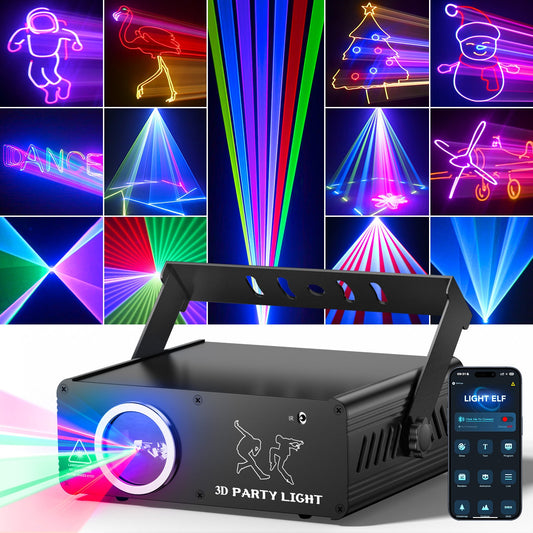
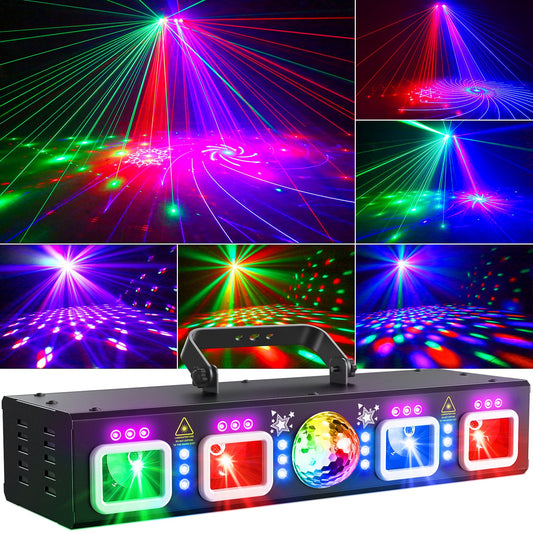
Un rayo láser solo es visible donde atraviesa algo, generalmente niebla o humo. Si el láser está encendido pero invisible, la habitación está demasiado despejada; agregue un poco de niebla a base de agua y el rayo aparecerá. Si el rayo se muestra pero parece débil, confirme que la unidad esté a su potencia nominal y no en un modo de baja potencia o "gratis". LLáser RGB 3D de 2400 Se lee mejor con una capa de neblina fina y uniforme que con una niebla espesa. Nunca apunte un láser a la altura de los ojos en una zona poblada.

La aplicación o el control inalámbrico no se conectan.
El control inalámbrico es conveniente hasta que el teléfono y el dispositivo estén en redes diferentes. Confirme que ambos estén en la misma red Wi-Fi, que el dispositivo esté en el modo de emparejamiento de la aplicación correcto (no DMX) y que Bluetooth esté habilitado donde el producto lo utilice. Si el emparejamiento falla repetidamente, recurra a los botones integrados o DMX; una revisión manual ensayada es más confiable que una conexión inestable en el momento del espectáculo. Para un funcionamiento sincronizado con el ritmo y sin aplicación, guía de sincronización musical Cubre una configuración activada por sonido que no necesita ningún tipo de red.
Lista de verificación previa al espectáculo de cinco minutos
- Conecte cada luminaria a una toma de corriente probada; reinicie cualquier interruptor automático que se haya disparado y reequilibre la carga.
- Vuelva a conectar los cables IEC y los cables DMX; confirme la dirección de entrada/salida a lo largo de la cadena.
- Configure una dirección DMX única en cada dispositivo; cargue el perfil correspondiente en el controlador.
- Confirma que el modo (DMX / aplicación / activado por sonido) se ajusta a tu plan por el momento.
- Realice un fundido completo hacia arriba y hacia abajo; esté atento a cualquier dispositivo que se retrase o ignore un canal.
- En el caso de los láseres, confirme que no haya neblina y que la trayectoria del haz esté libre de tráfico a la altura de los ojos.
Preguntas frecuentes
Mi lámpara funcionaba en casa, pero no funciona en la obra. ¿Por qué?
Casi siempre se trata de un problema de alimentación o modo. Pruebe la toma de corriente, vuelva a conectar el cable IEC y compruebe si el dispositivo está en modo DMX esperando una señal que no recibe. La alimentación eléctrica en casa y en el lugar del evento rara vez es la misma.
¿Por qué mi láser parece invisible?
Un rayo láser necesita niebla o humo para hacerse visible. Añada una fina capa de niebla a base de agua; sin ella, el rayo no se ve. Compruebe también que el dispositivo no esté en modo de potencia reducida.
Dos dispositivos están haciendo exactamente lo mismo de forma inesperada.
Comparten una dirección de inicio DMX. Asígnale a cada una una dirección única y reconfigura el controlador para que dejen de superponerse.
Lecturas relacionadas
- Guía básica para configurar la iluminación DMX512 en eventos pequeños y fiestas en casa.
- Luces de fiesta activadas por sonido vs. DMX vs. controladas por aplicación
- Cómo sincronizar la música y las luces para una fiesta de cumpleaños.
- Iluminación para escenarios de bodas: Guía de diseño para crear ambiente, superponer capas y elegir equipos fiables.
- Seguridad en la iluminación escénica: Guía práctica para eventos e instalaciones. — Seguridad eléctrica y térmica.
Continúa con la configuración de iluminación.
Después de solucionar el problema, compare los accesorios actuales en el Colección de luces para fiestas y escenarios de DJ.
Para montaje portátil, consulte Luces de DJ con soporte; para cobertura de lavado, explore Luces PAR.